
Quick answer
Walk to the water, aim your straw and left click to drink. When your belly fills, go under the PRESS to make salt. Spend that salt at the blue SHOP pad, then return to the shoreline with your upgrades.
Start the Browser Game
Open the game on our homepage and choose the play button inside the embedded player. Give the game time to load its 3D world. The page’s Fullscreen control makes the playing area larger; it does not change your tools, currency or progress.
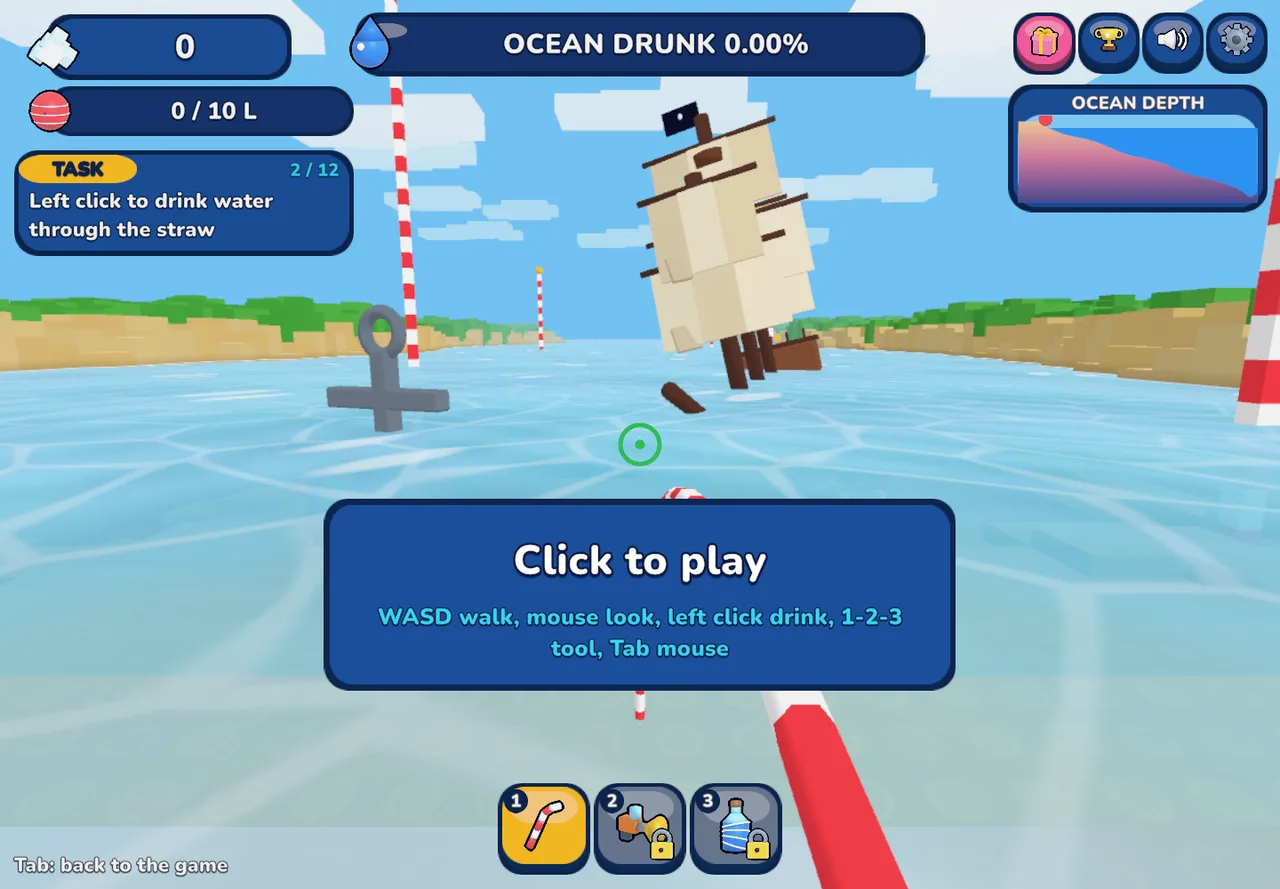
Click inside the game before using the keyboard. The mouse looks around, while WASD moves your character. If you need the cursor back for this page, press Tab. On a phone, turn to landscape and use the touch controls shown by the game.
Your First Shoreline-to-Shop Loop
When learning how to play Drink the Ocean, complete one whole loop before worrying about speed. You need to understand where the water, press and shop are in relation to each other. Follow the game’s own tutorial prompts when they appear.
- 01
Find water within reach
Walk to the water’s edge and look toward the water rather than the dry beach. Use your starting straw. On desktop, left click to drink; on a phone, hold the on-screen DRINK control.
- 02
Watch the belly meter
Your character has a limited carrying capacity. Look at the water or belly indicator as you drink. Once it is full, collecting more is no longer the useful next action: return to the press.
- 03
Stand under the PRESS
Bring the water back to the beach press. Playgama’s instructions describe moving under the PRESS to turn collected water into salt. Check the game’s indicators to confirm that you have completed the conversion.
- 04
Spend salt at the blue SHOP
Move to the blue SHOP pad and inspect the available upgrades. Read each option’s description and price in your game. Buy an improvement that addresses the part of your loop that feels slow, then head back to the sea.
Know What Each Part of the Loop Does
Drinking, pressing and shopping solve different problems. Treating them as separate actions makes the tutorial easier to follow and helps you identify why progress has paused.
| What you do | What it changes | What to check next |
|---|---|---|
| Drink seawater | Collects water and lowers the sea | Your belly or water indicator |
| Use the PRESS | Converts collected water into salt | Salt balance and remaining carried water |
| Use the SHOP | Exchanges salt for upgrades or tools | The item description and the effect of your purchase |
Choose Your First Upgrade Deliberately
There is no need to follow a made-up price list to learn how to play Drink the Ocean. If you spend most of your time returning with a full belly, compare capacity options. If collecting the water is the slow step, inspect the straw and tool options instead.
Playgama names a bigger belly, extra straws, a mouth vacuum and a pocket whirlpool. Those are useful categories to recognize, rather than a promise that every tool is immediately available. Use the separate upgrades guide for a fuller comparison of the decisions.
If Your First Loop Gets Stuck
Start with the smallest check. A game that ignores WASD may simply lack keyboard focus. A character that moves but will not drink may be too far from the water, aiming at dry ground or already carrying a full belly.
| Symptom | First check |
|---|---|
| Movement does not respond | Click in the player and try WASD again |
| Drinking has stopped | Check your belly, current target and selected tool |
| No salt after drinking | Complete the trip under the PRESS |
| Page controls are hard to reach | Press Tab to release the mouse; leave fullscreen if necessary |
What to Do After Your First Successful Loop
Repeat the cycle and pay attention to the retreating shoreline. Water that was close to the press may become dry land, so the old drinking position will not always remain useful. Move to the new edge rather than clicking the same patch of ground.
The longer-term task is to drain the sea far enough to reach the ocean-floor plug. You do not need to rush that goal while learning how to play Drink the Ocean. A reliable water-to-salt loop and a sensible upgrade choice give you the foundation for exploring farther.
Frequently Asked Questions
01Where should I go first?
Go to the shoreline and use the straw to drink water. Learning the route back to the PRESS is more useful than wandering around the entire beach before your first collection trip.
02Does drinking immediately give salt?
No. The Playgama instructions separate drinking from salt production: collected water has to go through the PRESS before you spend the resulting salt at the SHOP.
03How do I open the shop?
Go to the blue SHOP pad and follow the interaction shown by the game. Read the available items there rather than relying on a price or unlock list from another edition.
04Is this also a Mana walkthrough?
No. This guide explains how to play Drink the Ocean through the Playgama player. A guide based on selling treasure to a merchant follows a different provider’s description and should not replace this salt-loop walkthrough.
05How do I know when my belly is full?
Watch the belly or carried-water indicator and the game’s prompts. At capacity, switch from collecting to returning under the PRESS. The next useful step is conversion, not more clicks at the water.
Sources & game credits
Gameplay descriptions refer to the linked provider. Game artwork belongs to its respective rights holders.