
Your first move
Click or tap the water pump, use coins to improve production and connect the work done by stations and workers. Keep water flowing, collect goods and fulfill orders as you develop the sea. This game restores water rather than drinking it away.
What Is Sea Restore?
Sea Restore is an incremental management game from XD_games. Its setting is a crater left by a meteor, and your job is to fill that empty space with water. Early interaction centers on a pump; continued progress adds production and town activity around the growing sea.
The appeal comes from seeing separate systems begin to support each other. Water restoration gives the session a direction, while coins, stations and workers give you choices about what to improve. It is a different pace from a first-person swimming or fishing game.
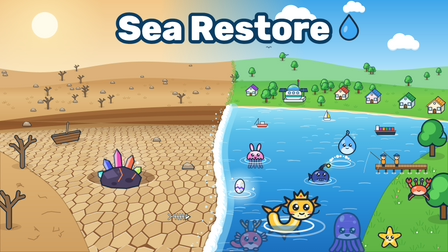
How to Start Your Restoration
Begin with the visible pump and the tutorial prompts. Establish a small working loop before trying to manage every unlocked system at once. The following order explains the provider’s basic progression without prescribing unverified prices.
- 01
Start pumping
Click or tap the water pump to begin the restoration. Watch the game’s own feedback to see how the water and available resources change.
- 02
Improve production
Spend earned coins on the options the game currently offers. Compare the pump with new stations and workers rather than assuming every purchase changes the same part of the process.
- 03
Connect the workers
Production workers gather resources, while collectors carry goods. If activity appears stalled, check the whole chain instead of only tapping the pump more often.
- 04
Use the town’s output
Follow crafting and order prompts as they become available. Truck orders give the goods you produce a destination and another reason to balance the settlement.
Sea Restore Controls
Sea Restore uses direct interaction rather than the WASD-and-straw controls of Drink the Ocean. Select the visible object or menu option you want to use. On a touch device, use the corresponding tap targets supplied inside the player.
| Action | Input or interface |
|---|---|
| Operate the pump | Click or tap the pump |
| Choose upgrades and stations | Click or tap the displayed game options |
| Clear visible trash | Tap or click the trash |
| Collect a glowing egg | Select the egg when one appears |
| Manage production and orders | Use the station and order interfaces shown by the game |
Stations, Workers and Orders
Treat production as a chain of tasks. A station that produces something and a worker that carries it perform different jobs. Before spending more coins, look for the step that is actually holding the rest of the chain back.
Playgama describes town crafting such as sushi, pies and gifts, alongside truck orders. Check what an active order requests before assuming that any crafted item will satisfy it. Read the station’s requirements and follow the game’s own unlock prompts.
For a first run, a useful habit is to inspect the settlement after each meaningful purchase. Notice whether goods are being gathered, moved and used. That makes it easier to understand why a new worker or station helped, without relying on a rigid purchase order.
Creatures, Tide and New Cycles
Watch for glowing eggs and collectible sea creatures as the environment develops. Clear trash when the game presents it, and pay attention to the tide meter. The provider describes filling that meter to reach high tide, adding another progress cue beyond the water itself.
Sea Restore also describes idle progress and new cycles after the sea fills. Read the actual cycle prompt before restarting so you understand what will change. The presence of idle progress does not establish a universal offline reward duration or guarantee that a particular browser has saved every action.
Tips for a More Organized First Run
Use one purchase to answer one problem: more pumping, a missing station or goods waiting to be carried. Buying several unfamiliar upgrades at once makes their effects harder to distinguish. Let the visible production chain guide your next decision.
If you return after a break, inspect the game’s displayed progress before spending. If the player needs to be reloaded, remember that unsaved progress may be lost. The surrounding website cannot restore a provider save.
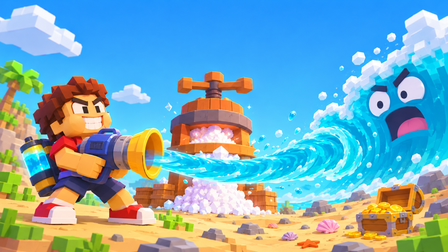
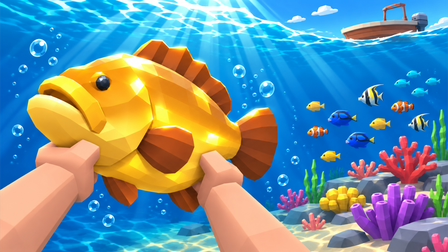
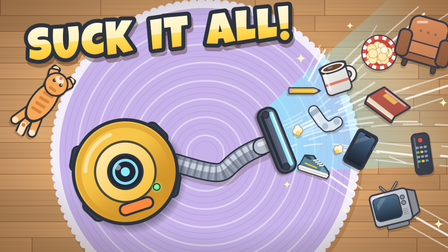
Compared with Drink the Ocean, the Sea Restore game reverses the water goal and adds a production-management loop. Choose Catch a Fish for underwater collection, or Suck It All! for a more direct suction-and-upgrade activity. Those games have their own controls and economies.
Frequently Asked Questions
01Is Sea Restore the same as Drink the Ocean?
No. Sea Restore fills a crater with water and develops production around it. Drink the Ocean collects water and turns it into salt at a PRESS.
02How do I start pumping?
Click or tap the visible water pump, then follow the game’s tutorial and upgrade prompts.
03What is the difference between production workers and collectors?
The provider describes production workers gathering resources and collectors carrying goods. Check both roles when a production chain slows down.
04Does Sea Restore include idle progress?
Playgama describes idle progress. The game’s own messages determine available rewards and save behavior; this page does not promise a fixed offline duration.
Sources & game credits
Gameplay descriptions refer to the linked provider. Game artwork belongs to its respective rights holders.